


Starting your online advertising journey begins with one essential step: learning how to create google ad account the right way. This foundational setup unlocks access to powerful targeting tools, real-time performance insights, and the ability to reach customers exactly when they’re searching for your products or services. Whether you’re a beginner or scaling your marketing strategy, create google ad account properly sets the stage for impactful, data-driven advertising results.
قائمة المحتوى
Google Ads
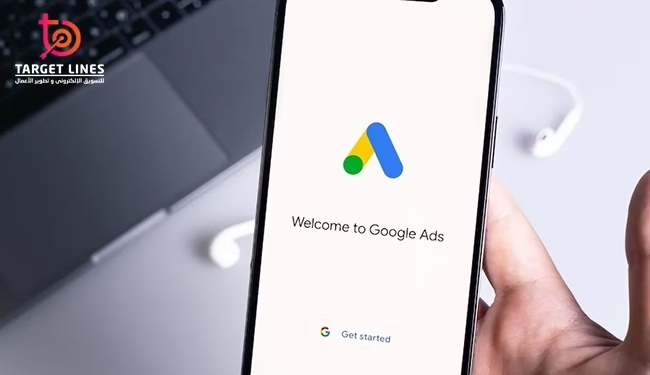
create google ad account, formerly known as Google AdWords, gives you access to Google’s powerful online advertising platform. It allows businesses and individuals to create digital ads that appear on Google’s search engine and across partner websites. This service helps advertisers reach their target audience by showing relevant ads when users search for related products or services.
create google ad account supports multiple ad formats, including text, images, and videos, which can appear in various placements such as search results, websites, mobile apps, and YouTube. The platform also provides advanced analytics tools to measure campaign performance, enabling advertisers to refine their strategies and maximize return on investment ROI.
Steps to create google ad account
Signing up for Google Ads is your gateway to reaching new customers through online ads tailored to your business goals and budget. This guide walks you through create google ad account and setting up your first advertising campaign. Below are the key steps to create your Google Ads account and start launching effective ads:
Sign In or Create a Google Account
- If you already have a Google account (such as Gmail), simply use your login credentials.
- If you don’t have one, click “Create Account” and follow the instructions to set up a new Google account.
Choose the Account Type
After signing in, you’ll automatically be directed to Smart Mode, which is ideal for beginners.
If you’re a marketing professional and prefer advanced control, scroll to the bottom of the page and switch to Expert Mode.
Set Up Your Business Information
- Enter your business name and website.
- If you don’t have a website, you can still advertise on Google using Smart Campaigns, which allow you to run ads without a website.
Create Your First Campaign
Choose your campaign objective such as increasing sales, generating leads, or driving website visits.
- Enter your Google ad details, including headlines, descriptions, and phone number.
- Select the main topics and keywords related to your business.
- Choose the geographical locations you want to target.
- Set your daily or monthly campaign budget.
Set Up Billing Information
- Enter your billing country, time zone, and preferred currency.
- Choose your payment method (credit card, PayPal, or bank account).
- If you have a promo code, add it in the dedicated field.
Review and Launch Your Campaign
- Carefully review your ad copy and all campaign details.
- Click “Submit” to launch your campaign.
- Google will review your ad, and approval typically takes about one business day before your ad starts running.

Benefits of create google ad account
Setting up a Google Ads account to run advertising campaigns in Saudi Arabia plays a significant role in driving business growth and boosting sales. Here are the key reasons why this account is essential:
Increase Sales
By create google ad account, you can target the right audience using relevant keywords connected to your products or services. This helps attract potential customers who are actively searching for what you offer.
Boost Your Business Visibility
create google ad account helps strengthen your online presence and increase awareness of your business, leading to more visitors landing on your website.
Reach New Customers Faster
If your business is new or not widely known, create google ad account can help you reach potential customers quickly, whether through search ads or display ads, strengthening your market entry and visibility.
Diverse Advertising Options
create google ad account provides multiple advertising formats such as Search Ads, Display Ads, and Video Ads. These options enable you to target your audience with greater precision and effectiveness.
create google ad account is a powerful tool for strengthening your brand and increasing sales by targeting the right audience at the right time.
Tips for Signing In to Google Ads
Signing in to Google Ads is a crucial step for managing your advertising campaigns effectively. To ensure a smooth and secure login experience, follow these essential tips:
Use the Correct Google Account
Make sure you’re using the Google account linked to your Google Ads account. If you have multiple accounts, double-check that you’re signed in with the right one.
Enable Two-Step Verification
For enhanced security, activate two-step verification on your Google account. This adds an extra layer of protection every time you sign in.
Use a Trusted Device
Try to log in from trusted devices that have the latest security updates. Avoid public or shared devices to reduce security risks.
Check Your Internet Connection
Ensure you have a stable and secure internet connection when attempting to sign in. Using public Wi-Fi networks may increase security vulnerabilities.
How to Add Your Business Information
To add your business details to your Google Ads account, follow the steps below:
Sign in to Your Google Ads Account
Go to ads.google.com and sign in using the Google account associated with your company’s Google Ads account.
Access Account Settings
After signing in, click the Tools icon in the upper-right corner the wrench-shaped icon. From the dropdown menu, select Settings” and then choose Account Settings.
Enter Your Business Information
In the Account Settings page, you will find a section dedicated to business information. Enter the required details, including:
Business Name: Your company’s official name.
- Address: The physical location of your business headquarters.
- Phone Number: Your official business contact number.
- Website: The URL of your company’s website.
Save Your Changes
After entering all the necessary details, click “Save” to confirm your updates.
Adding accurate business information strengthens the credibility of your Google Ads account and improves overall ad performance. It is recommended to review and update this information regularly to ensure it remains accurate and aligned with your current business details.
Frequently Asked Questions About create google ad account
How can I create a sponsored ad on Google?
You can create a sponsored ad by choosing the “Call-Only Ads” option in Google Ads, selecting your campaign, and adding your phone number and description in the editing panel.
How do I create google ad account for free?
Simply click “Start Now” on the Google Ads homepage, sign in with your Gmail account, and follow the guided setup to activate your free account.
How much does it cost to create google ad account?
Creating the account is free, but running ads typically requires a daily budget starting from $20–$50 depending on your goals and industry.
What is a Google Ads account?
It’s an online platform where you create, manage, and optimize ads, set your own budget, and monitor performance without any minimum spending requirement.
Are Google Ads profitable?
Profitability depends on targeting and ad quality, but many businesses achieve strong returns, often around $4 revenue per thousand impressions or more.
Ultimately, create google ad account is a smart investment for any business aiming to expand and establish a strong online presence. With advanced targeting tools and flexible budgeting, you can reach the ideal audience and achieve tangible marketing results. That’s why Target Lines, the leading digital marketing company in the Kingdom, offers innovative Google Ads solutions to help clients create their accounts, maximize results, increase sales, and build a powerful digital presence. Don’t hesitate to take this step, it’s the first move toward faster growth and sustainable success in the digital business world.


